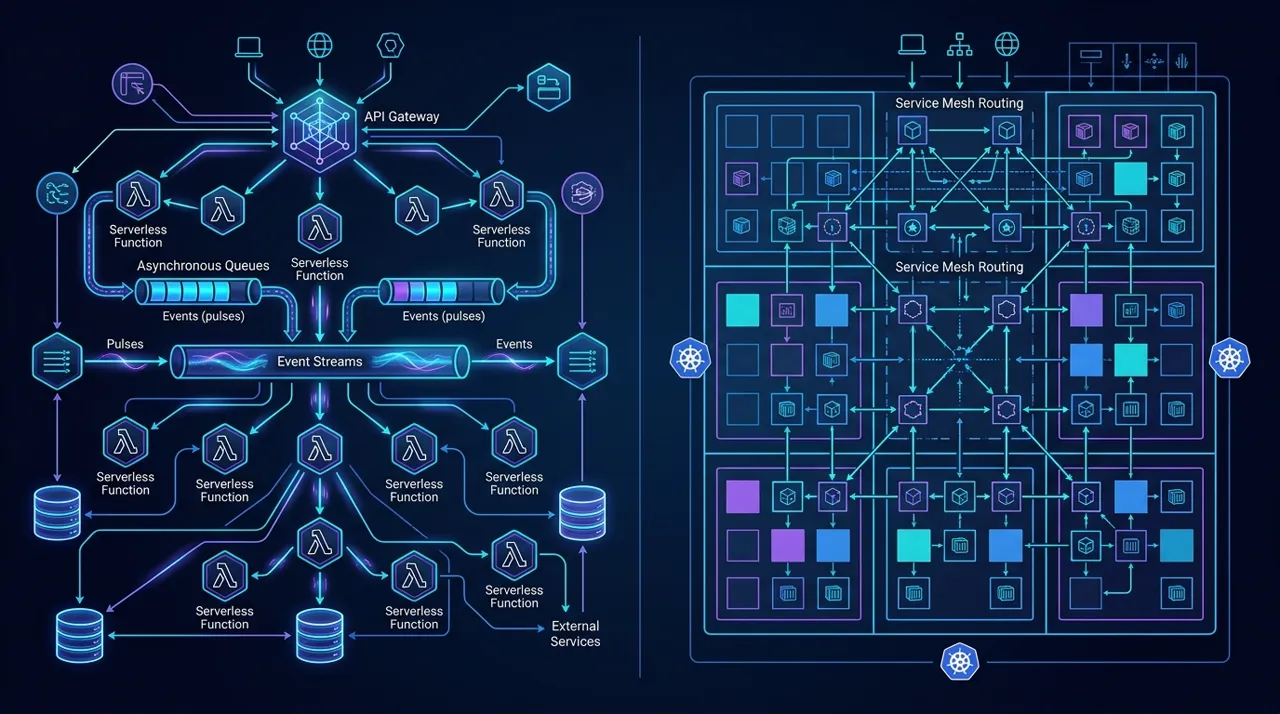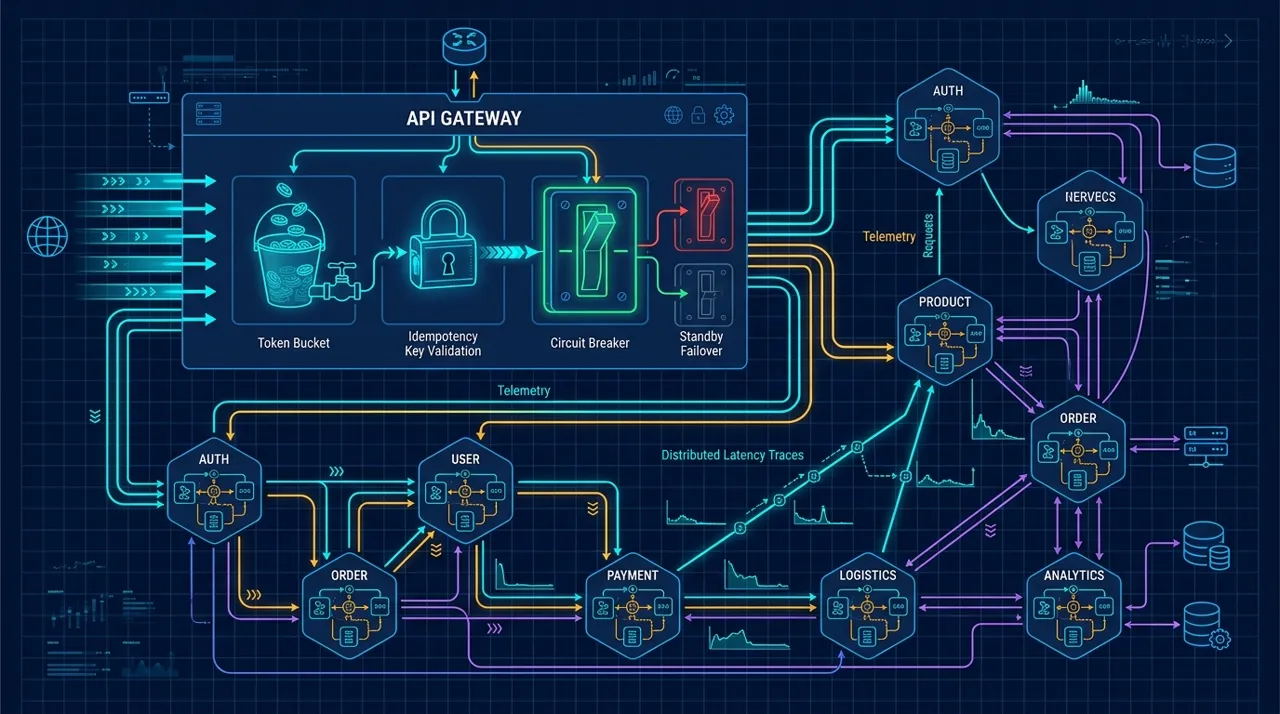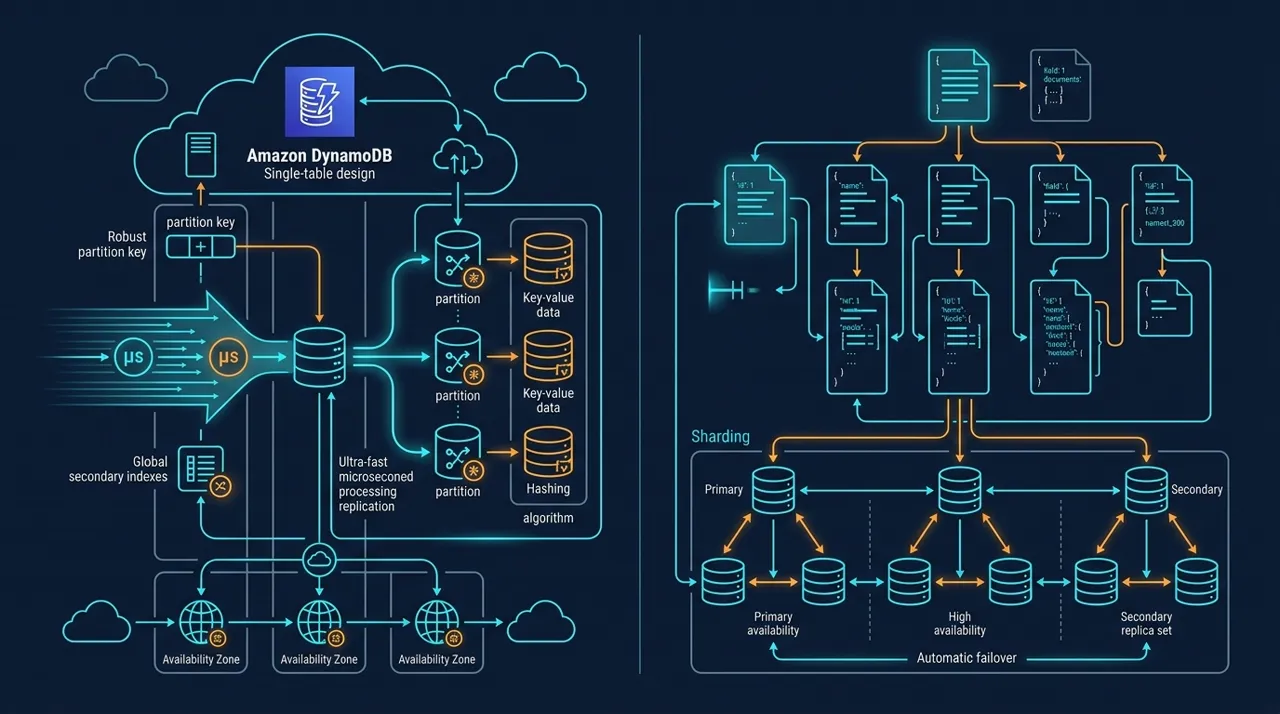
When engineering systems designed to ingest millions of events or power sub-10ms user-facing APIs, choosing the wrong persistence layer is an architectural death sentence. In the NoSQL domain, the conversation inevitably centers on two titans: Amazon DynamoDB and MongoDB (specifically MongoDB Atlas).
Both databases have discarded the strict constraints of relational ACID normalization, yet they embody radically divergent philosophies of data access, horizontal sharding, operational maintenance, and billing models. Choosing between them is not about which database is “better”—it is an evaluation of whether your engineering organization values deterministic single-digit millisecond latency at arbitrary scale or ad-hoc query flexibility with rich document nesting.
💡 Executive Summary: DynamoDB delivers predictable single-digit millisecond latency at any throughput scale by enforcing strict key-based access patterns and zero server maintenance. MongoDB offers superior expressive query flexibility, ad-hoc aggregation pipelines, and secondary indexing at the expense of continuous cluster management and memory-bound scaling costs.
1. Architectural Foundations: Core Tradeoffs at Scale
The architectural divergence between DynamoDB and MongoDB begins at the storage engine and distributed partition layer. DynamoDB is a fully managed, proprietary distributed key-value/document store built natively on AWS infrastructure, using internal partition routers and Paxos-based consensus across three Availability Zones (AZs) by default. It fundamentally trades query flexibility for predictable, deterministic performance: whether your table holds 10 megabytes or 100 terabytes, a key-based lookup completes in 3 to 8 milliseconds.
MongoDB, powered by the WiredTiger storage engine, organizes data into collections of polymorphic BSON documents. It utilizes B-trees for secondary indexing and relies on WiredTiger’s internal cache (typically 50% of available RAM minus 1GB) to deliver blisteringly fast in-memory query execution. However, when working data sets exceed available RAM, MongoDB performance degrades sharply due to disk paging.
| Architectural Dimension | Amazon DynamoDB (AWS Serverless Native) | MongoDB Atlas (Distributed Document Store) |
|---|---|---|
| Primary Data Access Model | Key-Value & Query on Partition/Sort Keys (PK + SK). | Rich document queries, nested operators, and aggregation pipelines. |
| Indexing Strategy | Global Secondary Indexes (GSIs) and Local Secondary Indexes (LSIs). Indexes must be pre-planned. | Arbitrary secondary indexes, compound indexes, text search, and geospatial indexes. |
| Scalability Mechanics | Transparent horizontal auto-partitioning across AWS cells with zero operational rebalancing. | Chunk-based sharding requiring mongos query routers and config replica sets. |
| Latency Predictability | Deterministic p99: 4ms–9ms consistently, regardless of table size or concurrent requests. | Memory-dependent p99: Sub-millisecond when hot in RAM; 50ms–200ms+ during disk paging and cache eviction. |
| Operational Overhead | Zero. No servers, cluster provisioning, storage auto-expansion tuning, or replica failover configs. | Moderate to High: sizing instance tiers (e.g., M30/M40), memory monitoring, index defragmentation. |
| Pricing Structure | Pay-per-Request (On-Demand) or Provisioned Capacity (RCUs / WCUs) + Storage. | Cluster hourly rate based on vCPU/RAM tier (e.g., $0.54/hr for M30) + data transfer + IOPS. |
2. Data Modeling: Single-Table Design vs. Document Collections
The starkest contrast between the two engines emerges during schema design. In MongoDB, relational intuition translates naturally: you create separate collections (users, orders, products) and embed one-to-few child documents directly into the parent JSON object.
In DynamoDB, applying normalized or multi-table relational patterns results in catastrophic latency and network overhead. To operate DynamoDB at high throughput, architects utilize Single-Table Design—persisting multiple entity types within a single generic table using overloaded Partition Keys (PK) and Sort Keys (SK).
flowchart TD
    subgraph DynamoDB Single-Table Architecture
        A[Single Physical Table] --> B[PK: USER#101 | SK: METADATA]
        A --> C[PK: USER#101 | SK: ORDER#2026-001]
        A --> D[PK: USER#101 | SK: ORDER#2026-002]
        A --> E[GSI1-PK: STATUS#PENDING | GSI1-SK: 2026-09-12]
    end

    subgraph MongoDB Collection Architecture
        F[Database Instance] --> G[Users Collection]
        F --> H[Orders Collection with Embedded Items]
        F --> I[Products Collection with B-Tree Indexes]
        H -. Foreign Reference ObjectId .-> G
    end
When to Standardize on Amazon DynamoDB
- Known, Well-Defined Access Patterns: Core user authentication, shopping carts, session state, user profiles, or event ledgers where queries are strictly driven by IDs, ranges, or predictable status filters.
- Serverless Architectures (AWS Lambda): Ephemeral compute runtimes opening and closing short-lived execution environments thrive on DynamoDB’s stateless HTTP-based API, completely bypassing database connection pool exhaustion.
- Hyper-Scale Workloads Demanding Guaranteed SLAs: Global platforms processing hundreds of thousands of concurrent operations where any query taking longer than 15ms violates enterprise SLAs.
When MongoDB Atlas is the Pragmatic Choice
- Evolving Startups with Unpredictable Query Requirements: In early product exploration, engineering cannot foresee all query dimensions. MongoDB allows ad-hoc filtering (
db.orders.find({ "items.category": "electronics", "total": { $gt: 100 } })) without pre-provisioning dedicated global indexes. - Complex Aggregations and Real-Time Analytics: Dashboards requiring multi-stage pipeline processing (
$match,$group,$facet,$lookup) to compute analytics directly inside the persistence layer. - Multi-Cloud and Local Development Portability: Running a local Docker container (
docker run -p 27017:27017 mongo) that mirrors production MongoDB Atlas identical across Google Cloud, Azure, and AWS.
3. Production Implementation: Hardened DynamoDB DocumentClient
Using DynamoDB in modern enterprise TypeScript backends demands the AWS SDK v3 modular client (@aws-sdk/lib-dynamodb), atomic conditions, strict Zod validation, and transactional integrity across single-table entities.
import { DynamoDBClient } from '@aws-sdk/client-dynamodb';
import {
  DynamoDBDocumentClient,
  TransactWriteCommand,
  GetCommand,
} from '@aws-sdk/lib-dynamodb';
import { z } from 'zod';

const ddbRawClient = new DynamoDBClient({
  region: process.env.AWS_REGION || 'us-east-1',
  maxAttempts: 3,
});

export const ddbDocClient = DynamoDBDocumentClient.from(ddbRawClient, {
  marshallOptions: { removeUndefinedValues: true },
});

// Schema definition enforcing single-table design contracts
const OrderItemSchema = z.object({
  productId: z.string(),
  quantity: z.number().int().positive(),
  unitPriceCents: z.number().int().positive(),
});

const CreateOrderInputSchema = z.object({
  userId: z.string().uuid(),
  orderId: z.string().uuid(),
  items: z.array(OrderItemSchema).min(1),
  totalAmountCents: z.number().int().positive(),
});

type CreateOrderInput = z.infer<typeof CreateOrderInputSchema>;

export async function createOrderAtomically(input: CreateOrderInput) {
  const validated = CreateOrderInputSchema.parse(input);
  const tableName = process.env.DDB_MAIN_TABLE || 'TijikiEnterpriseData';
  const timestamp = new Date().toISOString();

  // Atomically writes Order record and decrements stock in a single transaction
  const transactParams = new TransactWriteCommand({
    TransactItems: [
      {
        Put: {
          TableName: tableName,
          Item: {
            PK: `USER#${validated.userId}`,
            SK: `ORDER#${validated.orderId}`,
            Type: 'Order',
            TotalAmountCents: validated.totalAmountCents,
            Items: validated.items,
            Status: 'CONFIRMED',
            GSI1PK: 'ORDER#STATUS#CONFIRMED',
            GSI1SK: timestamp,
            CreatedAt: timestamp,
          },
          // Enforces idempotency: fails if orderId already exists for this user
          ConditionExpression: 'attribute_not_exists(PK) AND attribute_not_exists(SK)',
        },
      },
      {
        Update: {
          TableName: tableName,
          Key: {
            PK: `USER#${validated.userId}`,
            SK: 'METADATA',
          },
          UpdateExpression: 'ADD TotalOrdersCount :inc, LifetimeSpendCents :amount',
          ExpressionAttributeValues: {
            ':inc': 1,
            ':amount': validated.totalAmountCents,
          },
        },
      },
    ],
  });

  try {
    await ddbDocClient.send(transactParams);
    return { success: true, orderId: validated.orderId };
  } catch (error: any) {
    if (error.name === 'TransactionCanceledException') {
      throw new Error(`Order placement rejected: Duplicate order or condition failure.`);
    }
    console.error('[DDB_TRANSACTION_ERROR]', error);
    throw error;
  }
}
4. FinOps Cost Breakdown: The Reality at Scale
The economic models of DynamoDB and MongoDB diverge fundamentally: Capacity Unit Consumption vs. Provisioned Virtual Machine Sizing.
Scenario: High-Volume Production Workload
Parameters: 50,000,000 read operations / month + 10,000,000 write operations / month. Average document size: 1.5 KB. Total stored data: 300 GB.
Option 1: Amazon DynamoDB (On-Demand Capacity Mode)
- Write Request Units (WRUs):
  Each 1.5 KB write requires 2 WRUs (billed in 1 KB increments).
  10,000,000 writes × 2 WRUs = 20,000,000 WRUs.
  Cost: 20M × $1.25 per million = $25.00 USD
- Read Request Units (RRUs):
  Each 1.5 KB read requires 1 RRU (billed in 4 KB increments for strongly consistent, or 0.5 for eventually consistent).
  Assuming eventually consistent: 50,000,000 reads × 0.5 RRU = 25,000,000 RRUs.
  Cost: 25M × $0.25 per million = $6.25 USD
- Data Storage:
  300 GB total data. First 25 GB free.
  275 GB × $0.25 / GB = $68.75 USD
- Total DynamoDB Monthly Invoice: ~$100.00 USD / month

Option 2: MongoDB Atlas (Dedicated High-Availability Cluster)
- Cluster Sizing:
  Handling ~60M operations/month with 300GB storage requires an M40 cluster (16 GB RAM, 4 vCPUs) across 3 nodes to ensure the working set stays resident in RAM.
- Base M40 Hourly Rate: ~$0.54 / hour × 730 hours = ~$394.20 USD
- Premium NVMe Storage (300 GB with auto-scaling safety margin): ~$60.00 USD
- Cross-AZ Data Transfer & Continuous Backups: ~$45.00 USD
- Total MongoDB Atlas Monthly Invoice: ~$499.20 USD / month
The FinOps Takeaway: In this high-volume scenario, DynamoDB On-Demand is ~80% cheaper ($100 vs $500) than a right-sized MongoDB Atlas cluster. With DynamoDB, you never pay for unutilized CPU or idle RAM during off-peak hours. Conversely, if your query patterns require frequent ad-hoc analytics or aggregation pipelines, the engineering cost of streaming DynamoDB data into OpenSearch or Athena to execute those queries will quickly erode the initial savings.
5. Critical Antipatterns and Architectural Traps
1. The DynamoDB “Scan” Trap
Executing ScanCommand in production when attempting to filter non-indexed attributes.
- The Failure: DynamoDB reads every item in the entire table, consuming massive Read Capacity Units and causing API latency to skyrocket from 5ms to 12,000ms.
- The Remedy: Never use
Scanin user-facing request paths. Pre-model every query requirement into composite Sort Keys or Global Secondary Indexes.
2. The MongoDB Unindexed Query & RAM Swapping Disaster
Querying nested document fields without a supporting compound B-tree index in MongoDB.
- The Failure: Full collection scans force WiredTiger to evict cached pages from memory, causing severe disk thrashing and stalling all concurrent queries across the cluster.
- The Remedy: Maintain strict index auditing via MongoDB Compass, enforce schema validation rules, and configure alerts when RAM cache eviction rates spike.
3. Hot Partition Keys in DynamoDB
Using low-cardinality values (e.g., status: "ACTIVE" or static timestamps) as the primary Partition Key (PK).
- The Failure: DynamoDB partitions allocate a maximum of 1,000 WCUs or 3,000 RCUs per individual partition. Traffic concentrates on a single physical partition, triggering HTTP 400
ProvisionedThroughputExceededException. - The Remedy: Distribute partition keys uniformly using high-cardinality identifiers (UUIDs, tenant IDs) or append random shard suffixes (e.g.,
ORDER#2026-09-12#0..9).
Frequently Asked Questions (FAQ)
Can DynamoDB handle ACID transactions across multiple items?
Yes. DynamoDB supports TransactWriteItems and TransactGetItems, providing all-or-nothing atomicity and serializable isolation across up to 100 items or 4 MB of data within the same AWS account and region.
Is Single-Table Design mandatory when using DynamoDB?
No, it is an optimization pattern, not an engine requirement. While Single-Table Design minimizes latency by retrieving heterogeneous entities in a single round-trip, multi-table DynamoDB designs are viable and often simpler for teams with moderate throughput requirements.
How does MongoDB Atlas compare to DynamoDB Global Tables for multi-region replication?
DynamoDB Global Tables provide fully managed, active-active multi-region replication with replication lag typically under one second and zero cluster administration. MongoDB Atlas offers Global Clusters, but configuring read preference and localized write routing requires significantly more manual topology planning.
When should a team migrate from MongoDB to DynamoDB?
Migrate when your access patterns have stabilized, single-digit millisecond latency is mandatory for business success, or your monthly MongoDB Atlas cluster spend has escalated due to RAM provisioning overhead for idle capacity.
Conclusion & Architecture Review
There is no universal winner between DynamoDB and MongoDB. If you require infinite elastic scaling, zero server maintenance, and predictable single-digit millisecond latency for known access patterns, DynamoDB is the definitive cloud-native database. If your business demands dynamic querying, deep schema flexibility, and complex aggregation pipelines, MongoDB Atlas remains the most expressive document engine.
🛠️ Evaluating a database migration or struggling with runaway NoSQL costs?
At Tijiki, our senior cloud architects audit database topologies, optimize Single-Table DynamoDB designs, and benchmark latency bottlenecks.
👉 Book a Free 30-Minute Cloud Architecture & FinOps Diagnostic Session